


New Driving License in Kenya: How to Apply and Check Collection Status
Getting a driving license in Kenya does not have to mean spending hours at an NTSA office. The authority says motorists can now collect their licences in under two minutes. But there is one catch: your licence must already be ready for collection.
For first-time applicants, the process starts much earlier, with a provisional driving licence, driving lessons and a test.
Here is how to apply for a new driving licence and check whether your card is ready.
1. Start Your Application Online
First-time applicants can access the National Transport and Safety Authority (NTSA) services through the official “NTSA eCitizen portal” (https://ntsa.ecitizen.go.ke/).
Sign in to your eCitizen account or create one if you do not have an account. You will need your identification details to access the services.
The portal allows applicants to apply for a Provisional Driving License (PDL), pay the required fee and book a driving test.
2. Apply for a Provisional Driving License
A Provisional Driving License allows a learner to begin the process of learning to drive.
After applying and paying through the official portal, enroll in a licensed driving school and complete the required training.
The training prepares you for the driving test, which assesses your knowledge of road rules, traffic signs and your ability to drive the relevant class of vehicle.
3. Book and Pass Your Driving Test
Once you are ready, use the NTSA portal to book a driving test at a Driving Test Unit.
You must pass the test before proceeding to the full driving licence. NTSA issues a Certificate of Competence to successful candidates, which is valid for three months.
Passing the test is therefore a key step before completing the license application.
4. Complete the Full Driving License Application
After passing the test, follow the instructions on the NTSA portal to complete the application and pay the applicable fee.
Applicants may be required to attend a designated enrolment centre for biometric registration, depending on the licence service being processed.
For the Smart Driving Licence, follow the instructions provided by NTSA regarding registration and collection. Do not assume that passing the test means the physical card is immediately available.
5. How to Check Whether Your Driving License Is Ready
This is the step motorists should take before travelling to an NTSA office.
Visit the official “NTSA license status portal” (https://servicestatus.ntsa.go.ke/?resource=license). Enter your national ID number and search for your Smart Driving Licence.
The portal is specifically designed to help motorists check uncollected Smart Driving Licences.
If your licence appears as ready for collection, follow the collection instructions provided by NTSA. If it does not appear, use the available follow-up option or contact the authority for assistance.
6. How to Collect Your License in Under Two Minutes
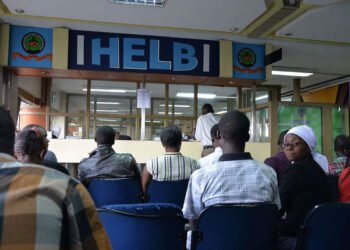
NTSA announced on October 8, 2026, that motorists can collect their driving licenses in under two minutes as part of its efforts to reduce queues and improve service delivery.
However, the announcement concerns the collection process, not the time required to apply for a licence, complete driving lessons or wait for a card to be produced.
Before visiting an NTSA office, confirm that your licence is ready and check the collection location. Carry your identification details and any notification or reference information provided during the application process.
The authority’s stated collection timeline should not be treated as a guarantee that every applicant will complete the entire process in two minutes.
What First-Time Applicants Should Remember
A new driving license involves several stages, from applying for a provisional license to completing training and passing the driving test. The quick collection service comes at the end of that process, once the licence is ready.
For official applications and payments, use the “NTSA eCitizen portal” (https://ntsa.ecitizen.go.ke/). To check for an uncollected Smart Driving Licence, use the “official status checker” (https://servicestatus.ntsa.go.ke/?resource=license).
Avoid paying unofficial agents who promise to bypass the required training, testing or licensing procedures.